Funders create volunteering offers to share what their employees can give: the skills they have, where they can volunteer, and the causes and people they want to support. Offers also fill the volunteering marketplace their employees see.
There are two ways an offer can bring you volunteers:
- Automatically: any opportunity you’ve already created that matches a funder’s offer appears to their employees, who can sign up straight away.
- By invitation: if a funder doesn’t see enough matching opportunities, they can ask matching non-profits to respond with new ones.
What’s in an offer
Each offer sets out:
- Who the funder is.
- The skills the funder’s employees can offer.
- How volunteers can work: remote, on site or either.
- Where volunteering can happen.
- The focus areas and the groups of people the funder wants to support.
- A description of what they’re offering and what they hope to achieve.
1. Find offers you match
- Click Volunteering in the left-hand menu.
- At the top of the page you’ll see how many companies are offering volunteers, and a list of every offer you match.
- Offers you don’t have a matching opportunity for yet are listed first.
- Offers you already match are listed below, with the names of your matching opportunities.
- Click Hide offers to collapse the list.
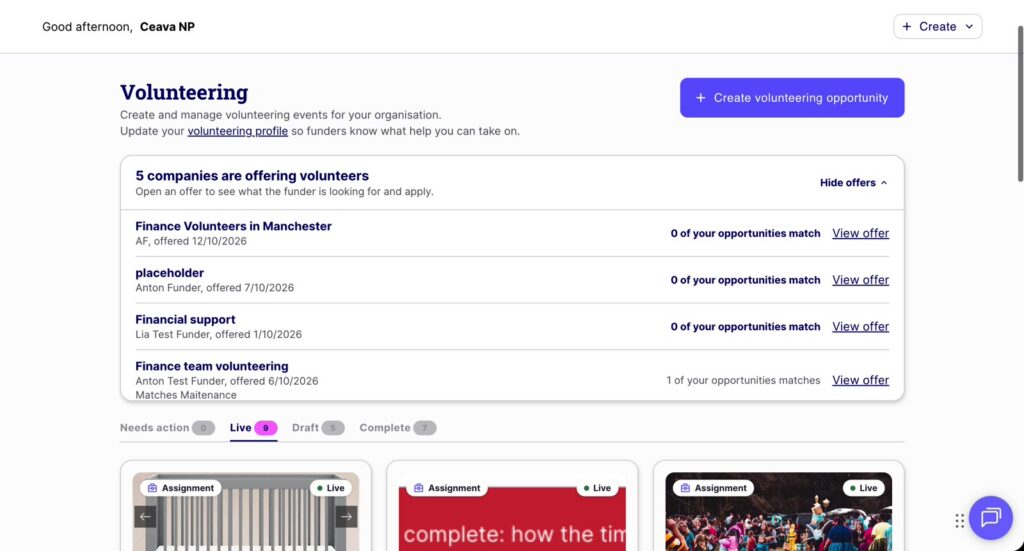
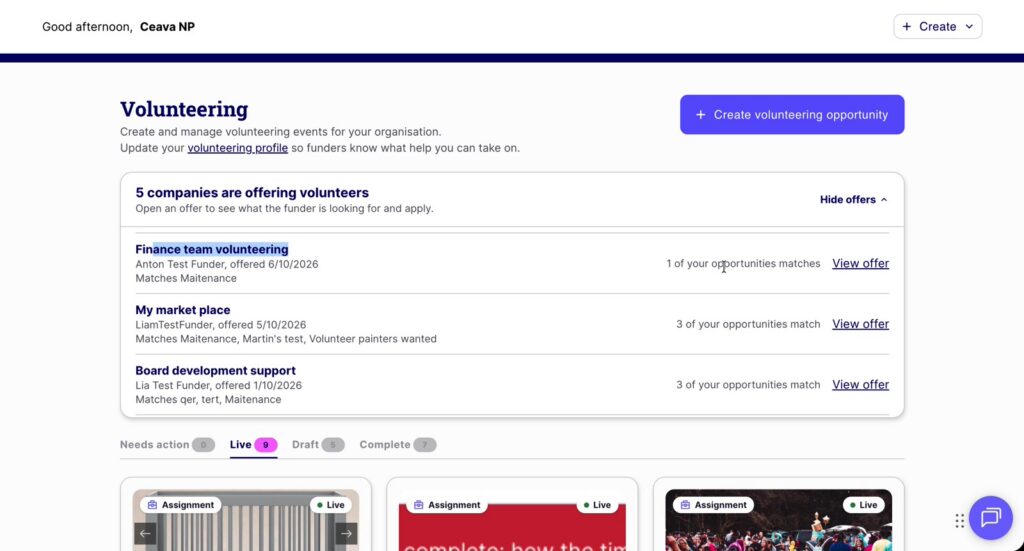
- Funders can create as many offers as they like, for example one for a finance team in a specific city. You’ll see every offer you match.
- You’ll also get a daily email listing new offers you match but don’t yet have an opportunity for.
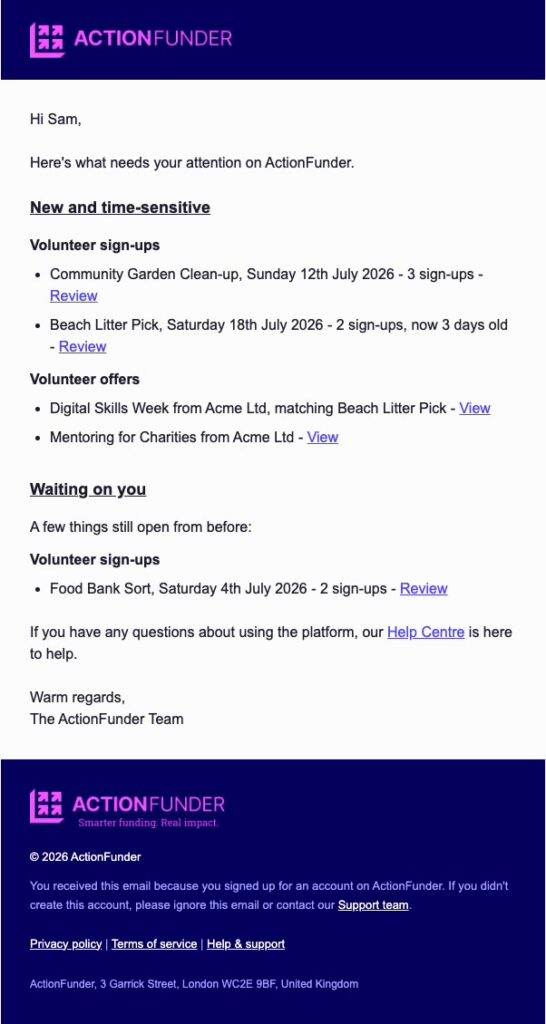
Keep your profile up to date. ActionFunder uses your profile to match you with funders’ offers, including your locations, focus areas and the people you support. The more complete and current it is, the more likely you are to match what funders need. See Update your profile with key information.
2. Review the offer
- Click View offer to see exactly what the funder is looking for: team size, skills, how they can work, location, focus areas and who it helps.
- Click View profile to find out more about the funder.
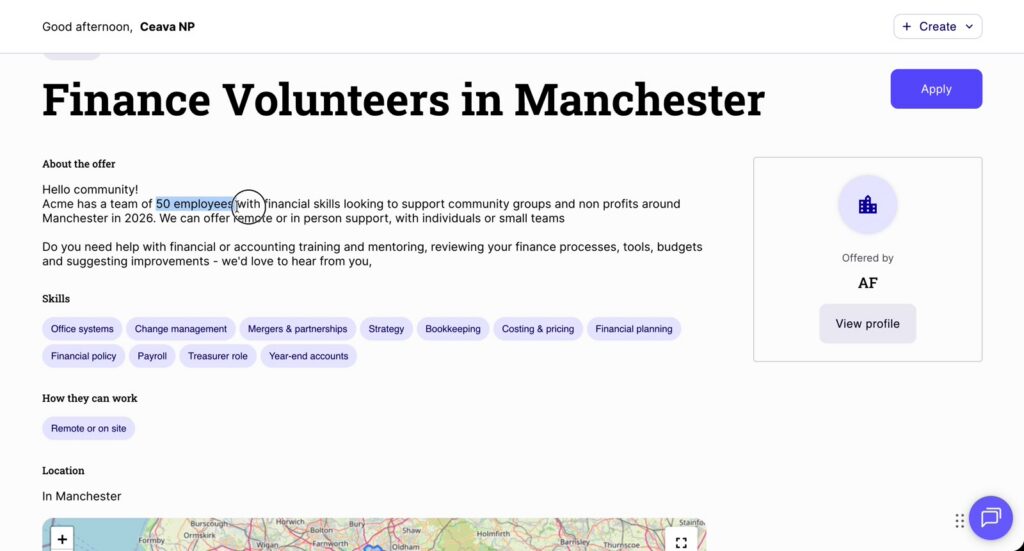
Important: your opportunity must use the focus areas, beneficiaries or skills the funder has tagged. For example, if you choose Environment and it isn’t one of the offer’s focus areas, your opportunity won’t match. It won’t show in that funder’s employee marketplace, so their employees can’t sign up. Opportunities you create in response to an offer may match other funders’ offers too, if they are looking for the same thing.
3. Create a volunteering opportunity in response
- Click Apply on the offer page.
- Choose the kind of help you need: A one-off event, A repeating event or An assignment or role.
- Complete the create opportunity steps as normal: Type, About, Logistics and Review.
- For a step-by-step guide, see How to create a volunteering opportunity.

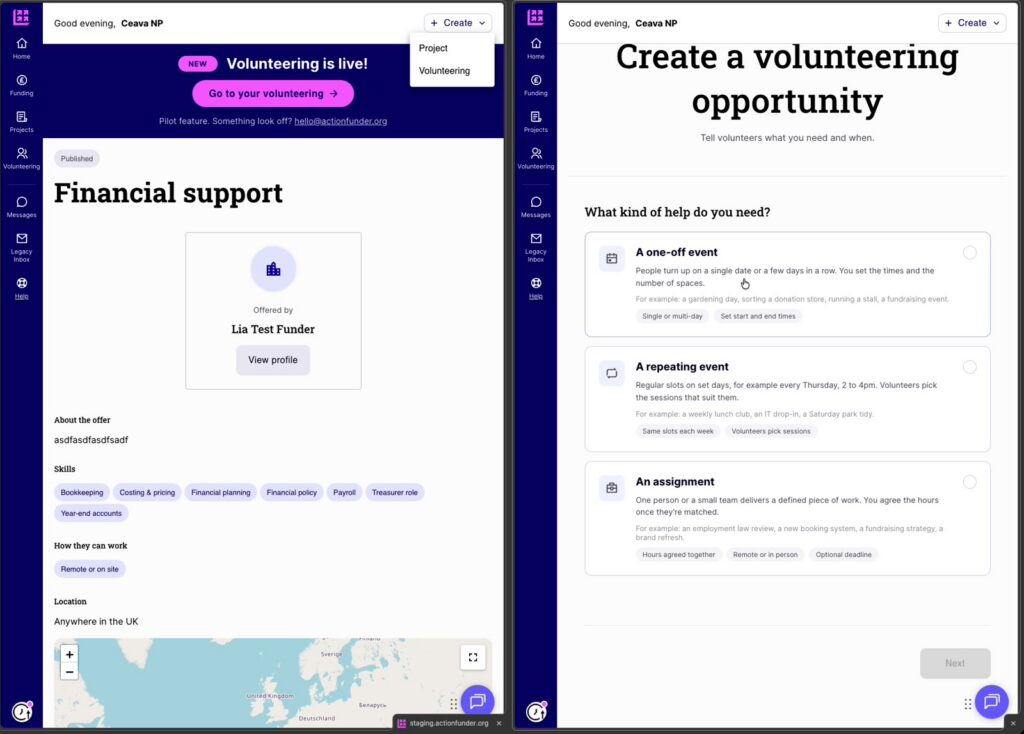
Tip: open the offer and the create form in two windows side by side. That way you can match your opportunity to what the funder is asking for as you write it.
4. What happens next
- Once you publish, a matching opportunity shows to the funder’s employees straight away. There’s no approval step for the funder.
- Check the offers list on your Volunteering page to confirm your new opportunity matches the offer you were targeting. It will appear by name under that offer.
- Their employees can then sign up, and you approve each request.
- You can create more than one opportunity for the same offer.
- You can also see which funders are offering volunteers. Building a relationship through volunteering is a good way to get to know potential funders.