Watch: Update your nonprofit profile
Before you list any volunteering opportunities, take a few minutes to complete your organisation’s profile.
Why your profile matters
Your profile is what ActionFunder uses to match you and notify you when a relevant fund or volunteering offer comes up. It’s worth completing even when you have nothing live – and a strong one helps you stand out to funders.
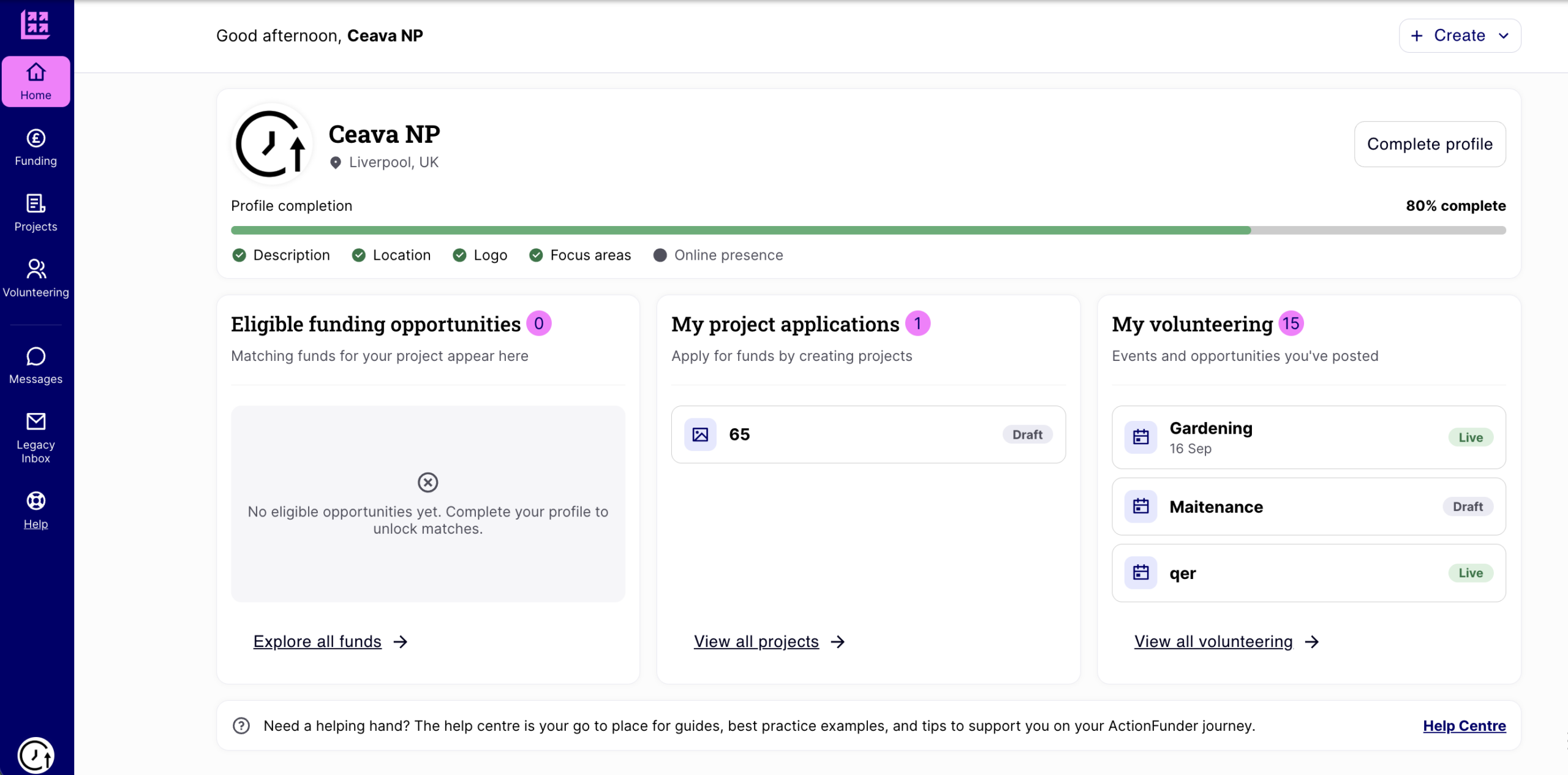
Your profile represents your organisation at all times. Projects and volunteering opportunities are for a specific need you’re actively trying to fill.
Where to find it
Complete your profile from the prompt on your homepage, or go to your organisation menu and select Public profile settings. There are two tabs that need updating, Profile and Volunteering. Everything on them is public – funders and volunteers can see it – and separate from the information we use privately for funding due diligence.
The Profile tab
Organisation basics
Add your name, logo and a short description (up to 1,000 characters) – what you do and who you help, in plain language. Choose what best describes your organisation (community group, registered charity, or social enterprise or community business) and your legal structure; we use this to match you with funds and to confirm your details if you’re selected. Add your phone number in international format (in the UK, replace the leading “0” with “+44”).
Where you’re located
Enter your primary address, and add any others under Additional locations – funders looking for local organisations are matched against all of them.
Focus areas
Pick up to 3 categories covering everything you do, not just your best-known project.
Who we work with
Select up to 3 groups your work supports. Funders check this against their criteria, and it prefills the same question on every opportunity you create — you can change it there if a particular piece of work supports a different group.
Track record
Optional: an impact figure, an outcome you’ve achieved, or a quote from someone you’ve helped. It prefills the track record question on every opportunity, and you can edit it there.
Setup year, website and social links
Add your setup year and at least one website or social media link – one is required to complete your profile.
The Volunteering tab
This fills the Volunteering tab on your public profile, telling funders and volunteers what help you can take on even when nothing is live.
Open to
Tick every kind of volunteering you can host: Skilled, Corporate groups, Individuals and Remote. You can still turn down individual requests – this just controls what you’re matched against.
What we always need
A short line (up to 300 characters) on the help you could use at any time of year. Funders read this when nothing else is live.
Volunteers we typically host per year
A rough number is fine – it helps a funder judge whether you can absorb, say, a corporate team.
Public liability insurance
Tell us whether you hold cover and how much. Most corporate partners expect at least £1 million before they’ll send volunteers. This is shared with every opportunity you write and syncs both ways. It’s self-declared – we don’t ask for a certificate today, but funders filtering on cover treat your answer as verified.
Select Save changes when you’re done, then view your public profile to see how it looks.
Your beneficiary groups, track record and liability cover carry through into every opportunity you post, so time spent here saves time later – and keeps you in the running for funds and volunteering offers even when you have nothing live.
See also: Creating a volunteering opportunity