The Browse tab shows every non-profit and volunteering opportunity that matches your live offers.
Open the Browse tab
- Click Volunteering in the left-hand menu.
- Open the Browse tab.
- Switch between Non-profits and Opportunities. The number next to each shows how many match.
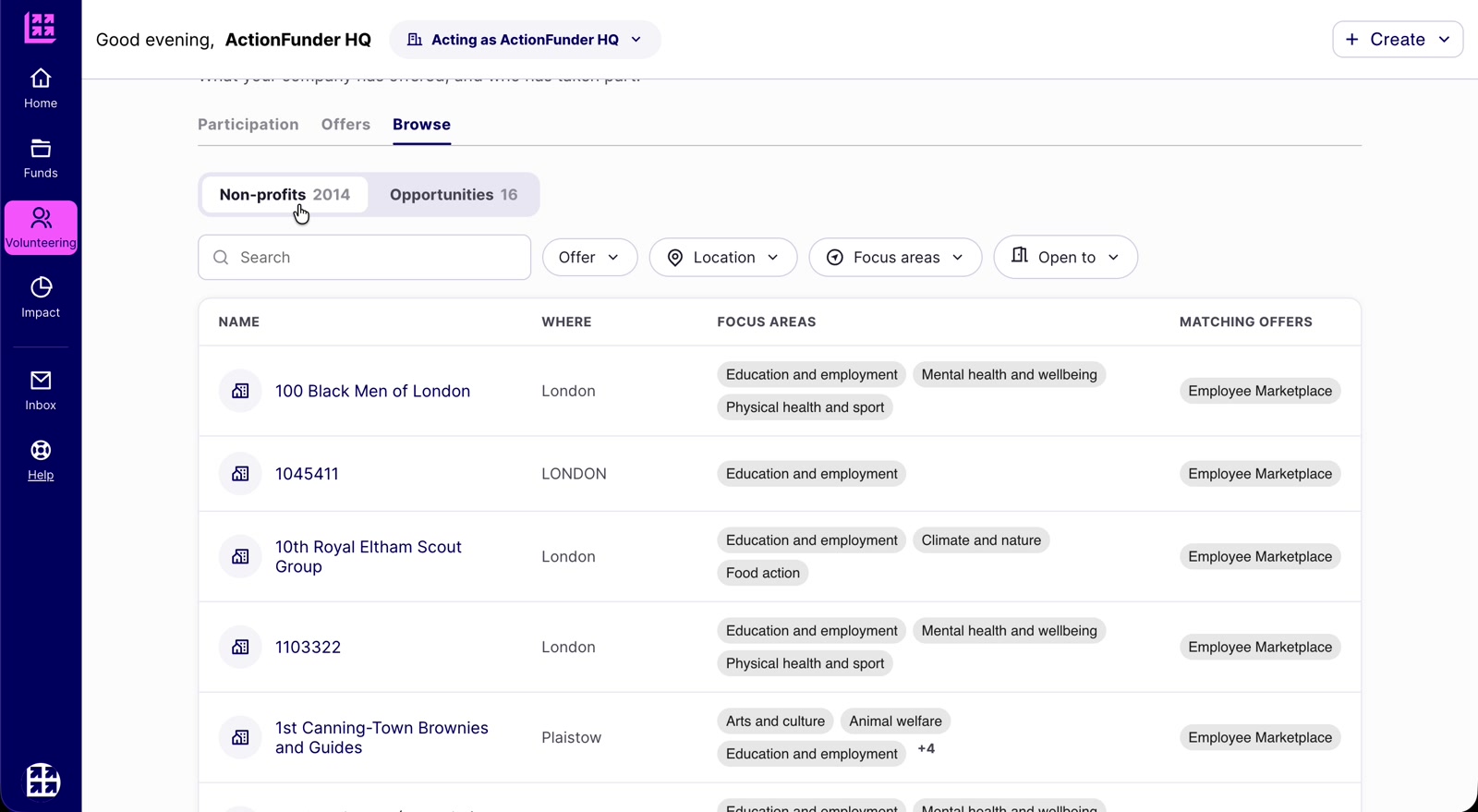
Matching non-profits
- See each non-profit’s name, location, focus areas and which of your offers it matches.
- Click a name to view its profile.
- Filter by Offer, Location, Focus areas or Open to, or search by name.
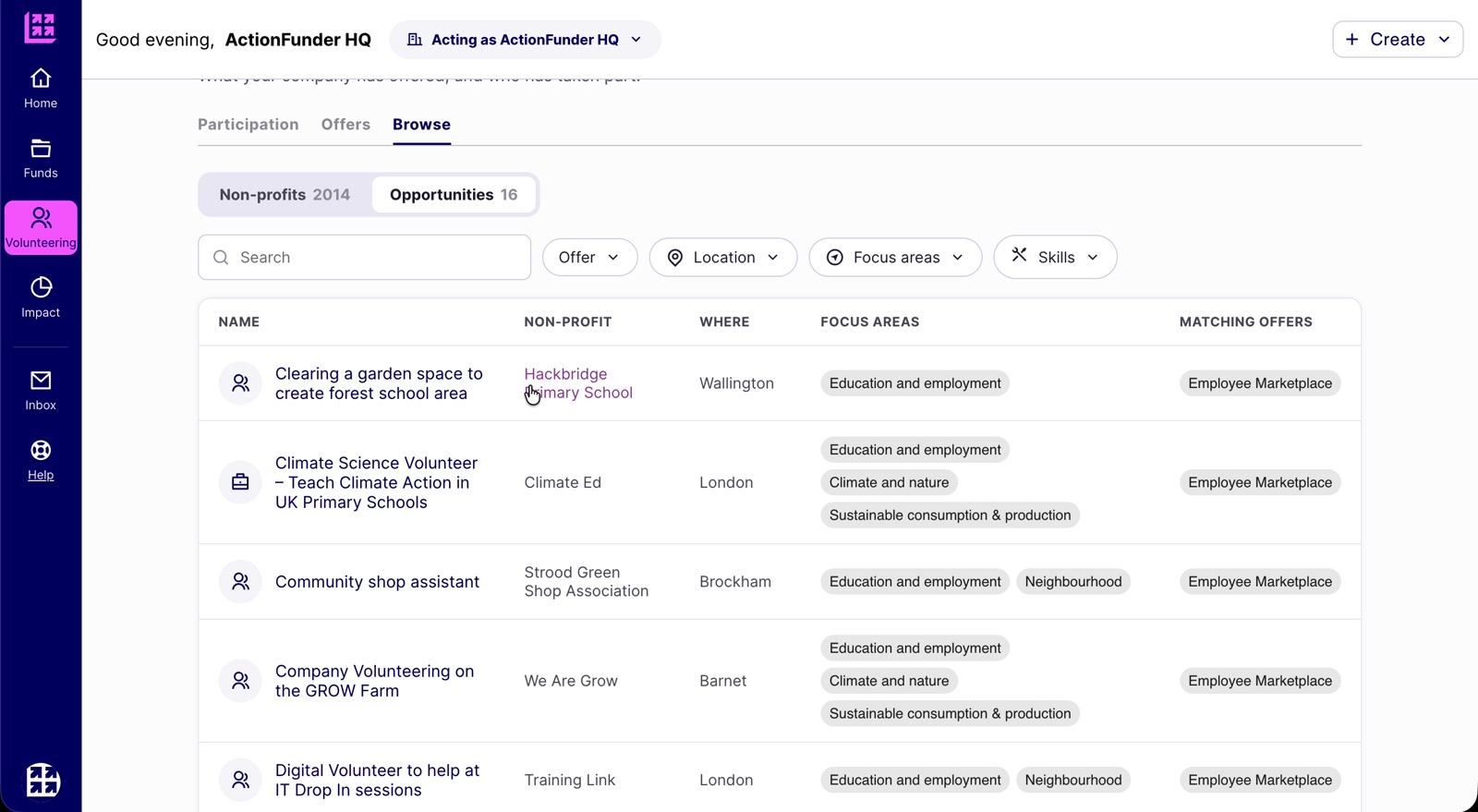
Matching opportunities
- These are the opportunities your employees can see and sign up to in their marketplace.
- See each opportunity’s name, the non-profit running it, location, focus areas and matching offer.
- Filter by Offer, Location, Focus areas or Skills.
Good to know
- If you emailed non-profits about an offer, you should see the list of opportunities grow as they create opportunities in response.
- Use the Offer filter to see results for one offer at a time.
- Opportunities and non-profits that don’t match a published offer aren’t shown here. To see them, create a new offer with no criteria selected and download the Excel spreadsheet.