Your company invites you to volunteer on ActionFunder with a unique company sign-up link.
1. Find your sign-up link
- Your company shares a sign-up link that’s unique to your organisation.
- Check your work email for the invite. Your company may also share it on the intranet or internal channels.
- Can’t find it? Ask the person who runs volunteering at your company.
2. Create your account
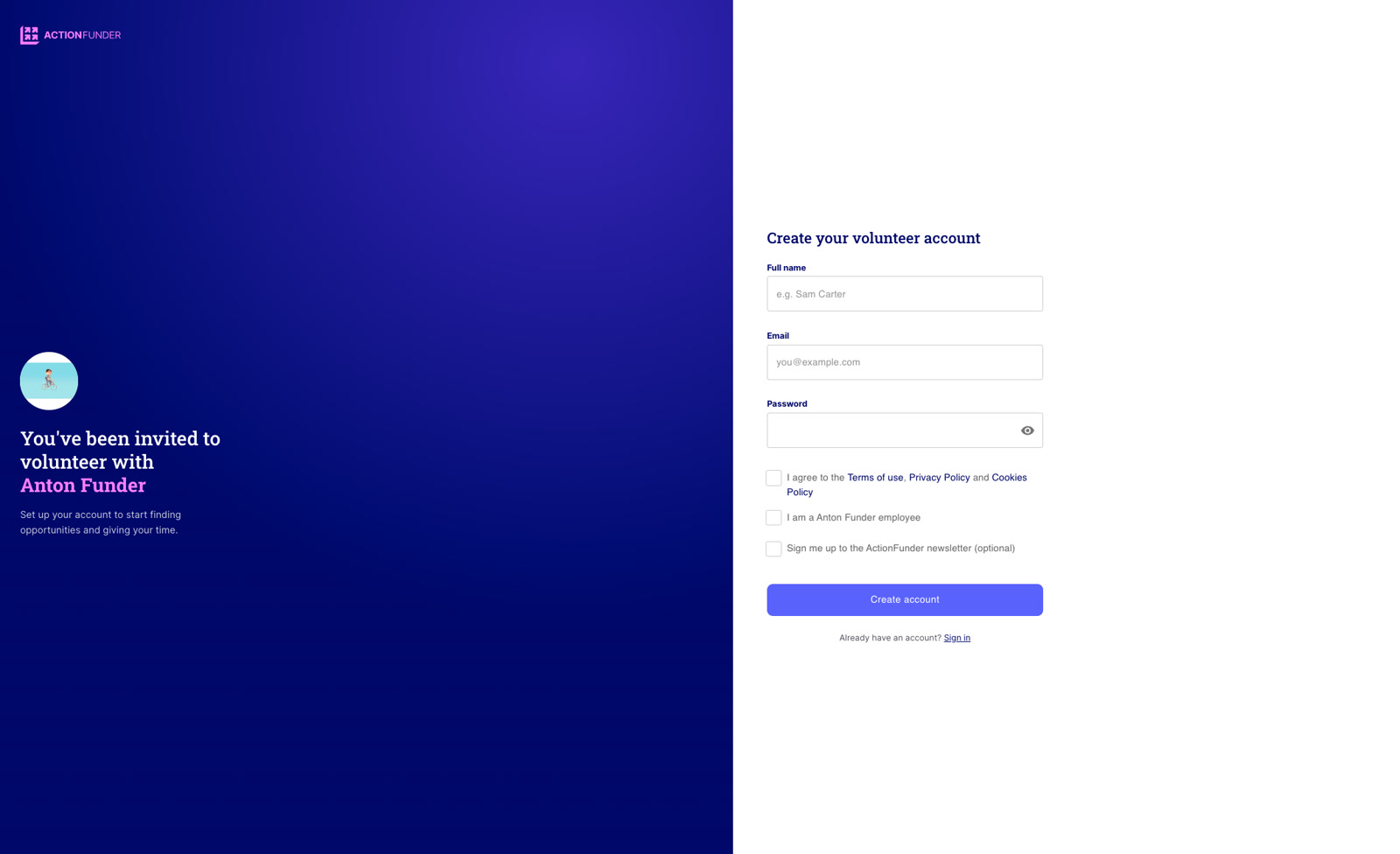
- Click the link. You’ll see Create your volunteer account, with your company’s name on the left.
- Enter your Full name.
- Enter your work email address. Personal email addresses, such as Gmail, won’t be accepted. Only your company’s email domain can be used.
- Click Create account.
- Already have an account? Click Sign in instead.
3. Start volunteering
- Once you’re signed in, you’ll land on Discover, where you can browse and sign up to opportunities.