Keep track of everything you’ve signed up to, and stay in touch with organisers.
My volunteering
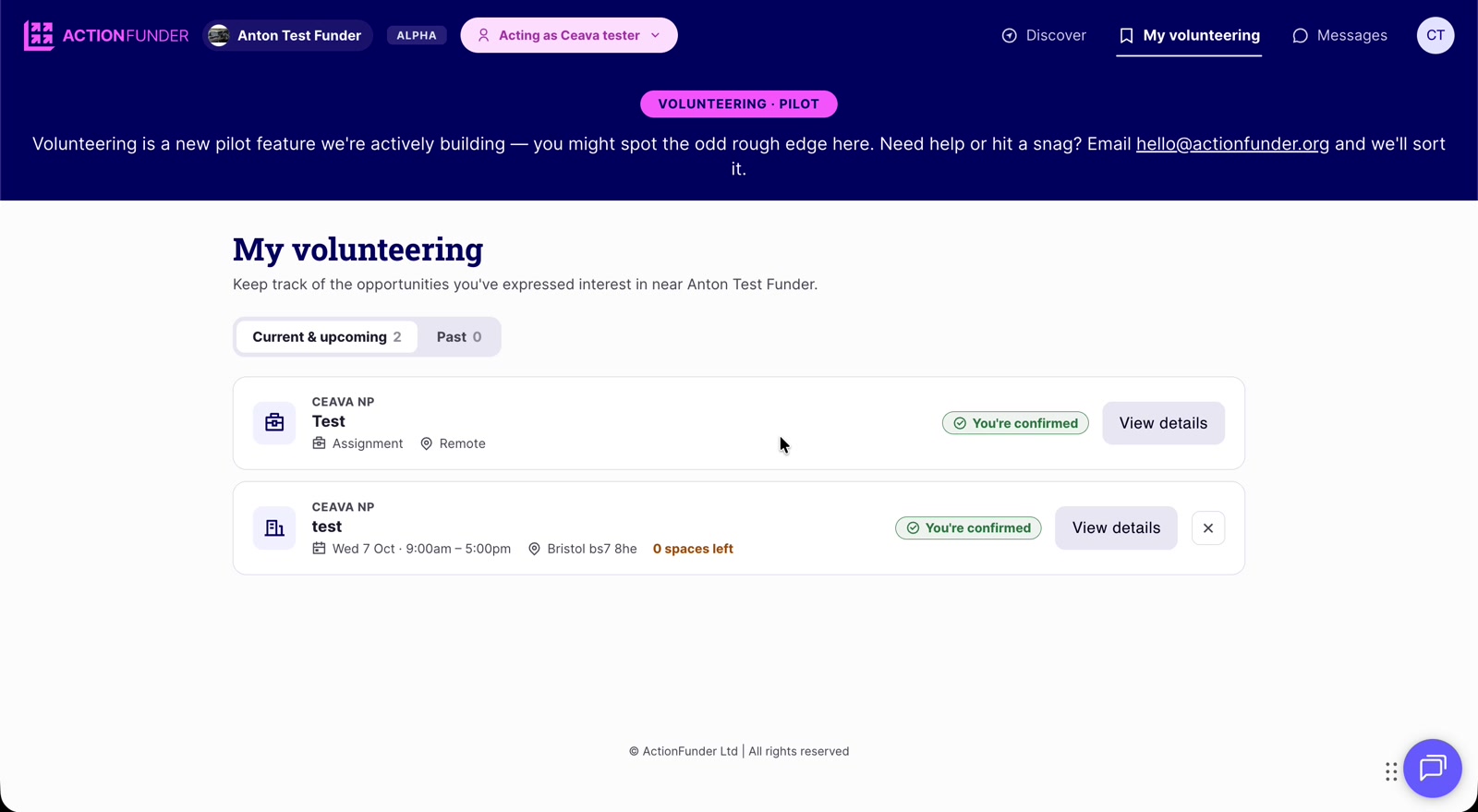
- Open My volunteering at the top of the page.
- Current & upcoming lists what’s in progress or coming up. Past lists completed volunteering.
- Each item shows its status. Requests stay pending until the non-profit approves them, then show You’re confirmed.
- Click View details to see the full opportunity.
- Click the X to cancel an event sign-up.
- Impact surveys you need to complete also show here.
Messages
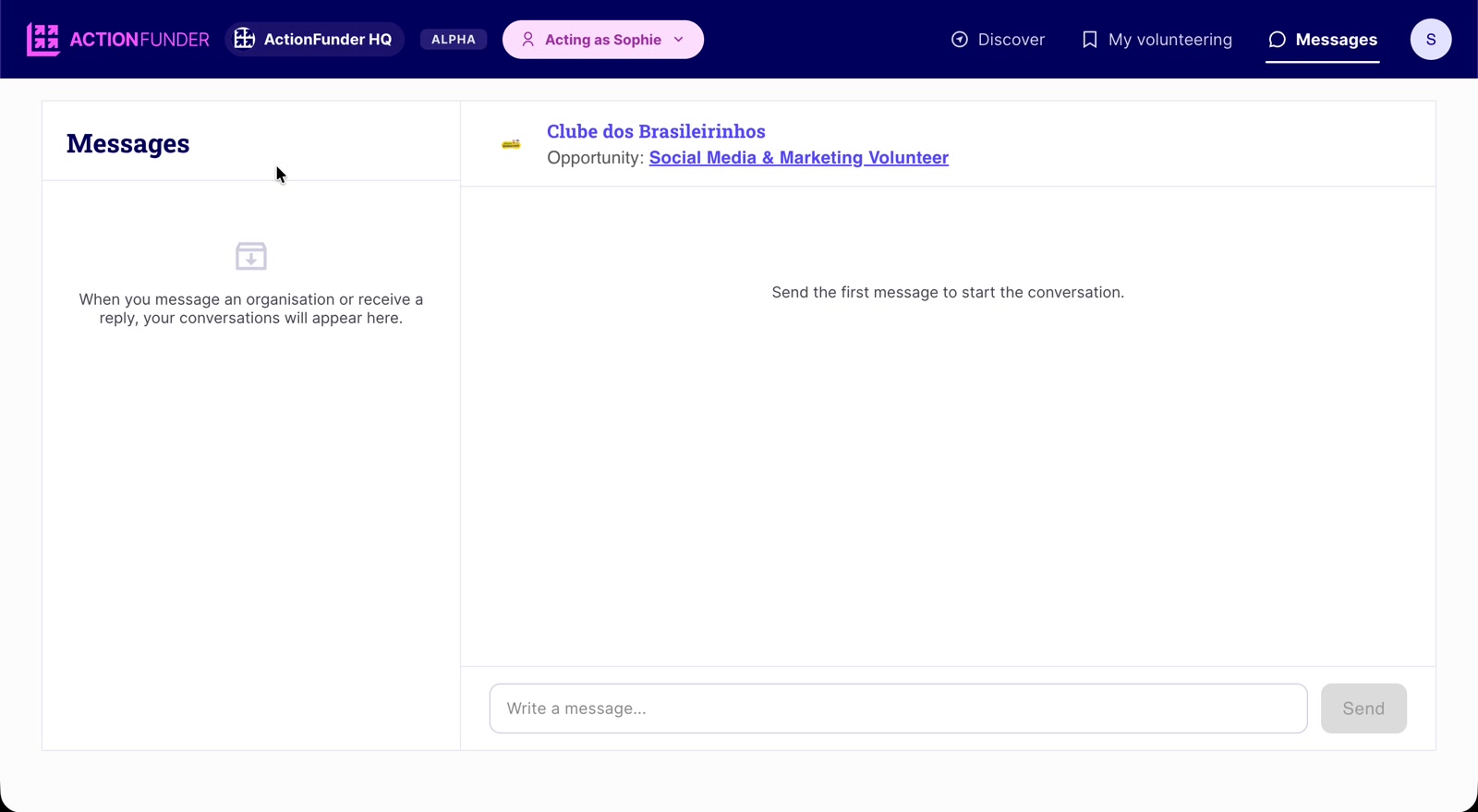
- Message an organiser any time from an opportunity page with Message organiser.
- All your conversations live under Messages at the top of the page.
- When an organiser replies, a badge appears on Messages and you’ll be notified by email.
Email notifications
You’ll get an email when:
- You register for an opportunity.
- A non-profit approves or declines your registration.
- An event is two days and one day away (reminders for event-based opportunities).
- Your impact survey is due, at the end of the event.